
|
Player (Kollus Player) Installation Guide
CGENTRY | 2022.07.16 21:58 |
|---|
To watch CGENTRY lectures, Kollus Player must be installed.
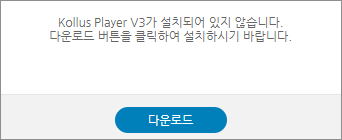
When you try to watch a lecture, if the player is not installed, an installation message will automatically appear as shown below.
1. If you try to watch a lecture without the player installed, an installation message will appear as shown below.
Download the player using the download button.
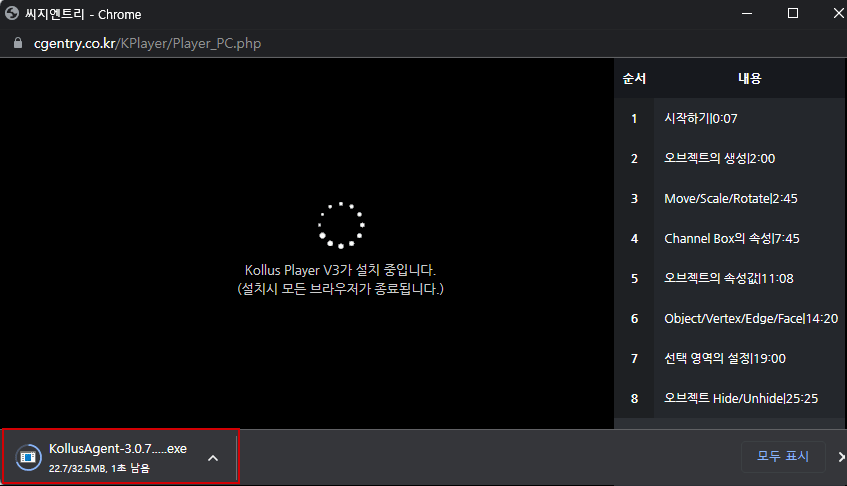
2. The player download will begin. Once the download is complete, click the file at the bottom of the browser to proceed to the installation screen.
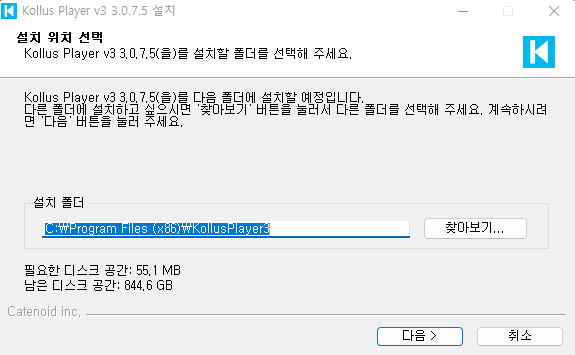
3. Set the player installation path and click the Next button to complete the player installation.
After installation, you can watch the lecture.
Views 498