
|
Player Usage Guide by CGENTRY |
2022.07.16 23:15 |
|---|
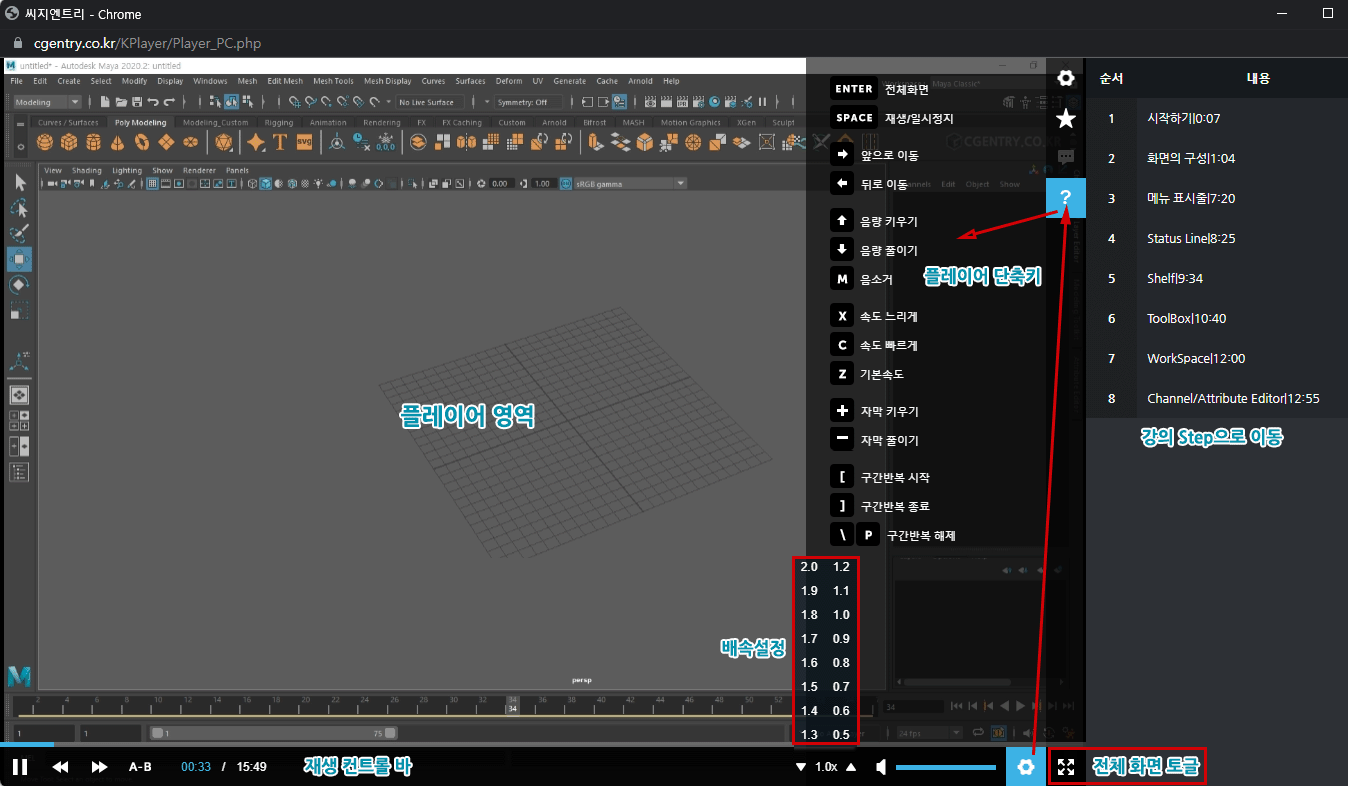
Please see the image below for instructions on how to use the CGENTRY Player.
The screen is mainly divided into the player area, playback controls, playback speed, volume settings, player shortcuts, and course step area.
The most commonly used shortcuts are ENTER for full-screen mode and SPACE for pause.
For more detailed shortcuts, please check the shortcut area below.
Thank you.
Views 497