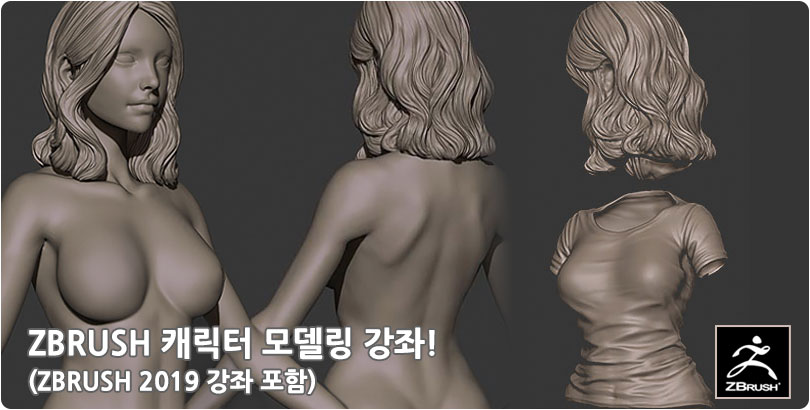
:: ZBRUSH(개정판) ::
1. ZBRUSH의 기본 조작
| 1강 | 프리젠테이션 | 20분 | ||
| 2강 | ZBrush의 설치 |
|
10분 | |
| 3강 | ZBrush의 화면 구성과 언어설정 방법 |
|
12분 | |
| 4강 | Shelf에 배치된 ZBrush의 기능 파악하기 |
|
50분 | |
| 5강 | ZBrush의 조작(1) - Canvas 와 Tablet 및 환경설정 |
|
16분 | |
| 6강 | ZBrush의 조작(2) - Canvas와 오브젝트의 컨트롤(Gizmo 3D & Transepose) |
|
37분 | |
| 7강 | Brush 및 Material 가져오기 |
|
12분 | |
| 8강 | 단축키 설정방법 |
|
15분 | |
| 9강 | 나에게 맞는 UI 설정하기(UI 설정 및 저장, 가져오기) |
|
18분 |
2. ZBRUSH의 기본기 확실히 다지기
| 1강 | 자주사용하는 Brush 종류와 특성 및 단축키 설정 |
|
56분 | |
| 2강 | 3dsmax와 ZBrush 상호간 데이터 Export,Import (OBJ,GOZ,FBX) |
|
31분 | |
| 3강 | Sculpting에 필요한 면의 구조 알기 (1) - 면의 구조 |
|
15분 | |
| 4강 | Sculpting에 필요한 면의 구조 알기 (2) - DynaMesh와 Sculptris Pro 모드 |
|
38분 | |
| 5강 | Mask의 조작과 Hide,Unhide |
|
28분 | |
| 6강 | PolyGroup의 설정과 하는 역할(Hide Unhide 활용) |
|
19분 | |
| 7강 | SubTool의 활용(1) - Object 분리 및 합치기(PolyGroup의 활용) |
|
42분 | |
| 8강 | Subtool의 활용(2) - Live Boolean을 이용한 오브젝트의 모델링 |
|
17분 | |
| 9강 | Alpha의 활용(1) - Alpha의 개념과 활용방법과 예시 |
|
49분 | |
| 10강 | Alpha의 활용(2) - Alpha UV 매핑을 통한 문양의 표현 | 38분 | ||
| 11강 | Alpha의 활용(3) - 3D Alpha Brush 등록 방법과 브러시의 저장 |
|
14분 | |
| 12강 | Insert Mesh Brush의 개념과 등록활용, Curve로 다양한 표현 |
|
39분 | |
| 13강 | Symmetry로 대칭기능 활용(Radial,Mirror Weld) |
|
22분 | |
| 14강 | Layer의 활용 |
|
16분 |
3. ZBRUSH의 어드밴스 기능활용
| 1강 | 특수 Brush의 활용(Clip, Morph Brush 등) |
|
18분 | |
| 2강 | Shadow Box로 기본 모델링 제작 |
|
20분 | |
| 3강 | Clay Polish로 각잡기 |
|
10분 | |
| 4강 | Decimation Master로 면 줄이기 및 로우폴리곤 제작하기 |
|
22분 | |
| 5강 | ZRemesher로 면정렬 및 로우폴리곤 제작하기 |
|
24분 | |
| 6강 | ZRemesher 및 Project All로 Divide 레벨 살리기 |
|
20분 | |
| 7강 | Deform으로 형태 변형하기 |
|
33분 | |
| 8강 | Pannel Loop를 통한 문양 모델링 |
|
28분 | |
| 9강 | Nano Mesh를 통한 반복 모델링 |
|
28분 | |
| 10강 | Micro Mesh의 활용 및 NanoMesh와 비교 | 23분 | ||
| 11강 | Poly Paint 및 Spotlight의 활용 - 물체에 텍스쳐링 하기 |
|
16분 | |
| 12강 | Plugin - Poly GroupIt 으로 PolyGroup 쉽게 나누기 |
|
7분 | |
| 13강 | Plugin - Scale Master를 통한 오브젝트 리사이징 |
|
13분 | |
| 14강 | Plugin - UV Master를 통한 ZBrush에서 UV 펴기 |
|
15분 |
4. 기능의 활용예제
| 1강 | 간단한 바닥 블록 제작하기 |
|
40분 | |
| 2강 | 기둥의 제작(1) - Base Modeling 및 Alpha UV의 설정 |
|
40분 | |
| 3강 | 기둥의 제작(2) - IMM Brush 제작 및 디테일 작업 | 30분 | ||
| 4강 | 기둥의 제작(3) - 기둥에 Polypaint, Spotlight를 통한 페인팅 |
|
16분 | |
| 5강 | 타일맵 제작(1) - 샘플 만들기 |
|
14분 | |
| 6강 | 타일맵 제작(2) - 2.5D Layer 기능을 이용한 타일맵 제작 |
|
27분 | |
| 7강 | ZBrush에서 Normal 및 Displacement의 추출 |
|
24분 |