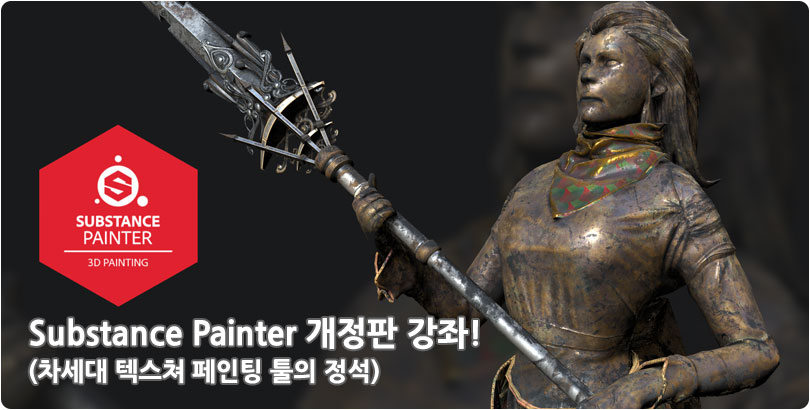
:: Substance Painter 개정판 ::
1. Substance Painter의 인터페이스 및 기본 조작
| 1강 | 프리젠테이션 | 15분 | ||
| 2강 | Substance Painter의 화면 구성 |
|
15분 | |
| 3강 | Viewport의 기본 조작 및 UI 변경 |
|
22분 | |
| 4강 | Top Toolbar의 역할과 기능학습 |
|
19분 | |
| 5강 | Left Toolbar의 종류와 기능학습 |
|
24분 | |
| 6강 | Shelf의 조작 과 리소스의 Import 방법 |
|
15분 | |
| 7강 | 환경설정(단축키 및 Autosave 등의 설정) |
|
11분 |
2. Project의 생성과 Texture의 Baking
| 1강 | 제작하려는 Texture의 종류와 특성 알아보기(채널) |
|
26분 | |
| 2강 | Baking시 생성되는 Texture와 용도 알아보기 | 29분 | ||
| 3강 | 텍스쳐를 Baking을 하기 위한 기본셋팅(로우,하이 네이밍 UV 셋팅) |
|
25분 | |
| 4강 | 오브젝트를 Substance Painter로 가져오기 오브젝트 (UDIM, Multi ID 방식) |
|
35분 | |
| 5강 | Baking 옵션(1) - 공통옵션(Common) 셋팅 |
|
27분 | |
| 6강 | Baking 옵션(2) - Normal, World Space Normal Map, ID Map |
|
15분 | |
| 7강 | Baking 옵션(3) - Ambient Occlusion Map |
|
13분 | |
| 8강 | Baking 옵션(4) - Curvature Map |
|
7분 | |
| 9강 | Baking 옵션(5) - Position Map |
|
12분 | |
| 10강 | Baking 옵션(6) - Thickness Map Baking과 최종적인 베이킹 확인 |
|
17분 |
3. Layer의 종류와 기능
| 1강 | Layer의 기능(1) - 레이어 종류와 특성, 그리고 레이어 채널 |
|
46분 | |
| 2강 | Layer의 기능(2) - Add Effect |
|
26분 | |
| 3강 | Layer의 기능(3) - Add Mask |
|
35분 | |
| 4강 | Smart Masks의 작동 원리와 적용 및 합성 방법 |
|
20분 | |
| 5강 | Smart Material의 적용과 제작(Smart Masks의 연계 활용방법) |
|
13분 | |
| 6강 | Brush와 Eraser 그리고 Physical Brush의 활용방법 | 36분 | ||
| 7강 | Brush의 커스터마이징 방법 |
|
10분 | |
| 8강 | Material의 적용 및 활용 |
|
14분 | |
| 9강 | Filter의 종류 및 활용 |
|
37분 | |
| 10강 | Generator 1부 - Mask Generator의 종류 및 적용 예시 |
|
30분 | |
| 11강 | Generator 2부 - Mask Editor로 Custom Mask의 생성 및 활용 |
|
36분 |